Objective questions
MCQs graded automatically the moment a student submits, with negative marking, shuffling and a pass mark you set per test.

Mix objective, written, and coding questions in the same test, then run it online or print it without splitting the workflow.
MCQs graded automatically the moment a student submits, with negative marking, shuffling and a pass mark you set per test.
Descriptive responses go to the teacher who marks them, with partial credit and a queue that puts one question in front of you across the whole class.
Students write, run and debug real code in the browser, checked against visible and hidden test cases in five languages.
Maths notation and images sit inside the question itself, so the same paper reads correctly on a screen and on the sheet you hand out.
A solution can be stored with the question and shown to whoever is marking - and never to the student sitting the paper.
Print the same paper in a different order for each row of the hall, with the answer key that belongs to each set.
A handwritten solution may look correct, but there is no compiler, runtime, or test case to prove it. Teachers are left judging intent instead of seeing whether the student can produce working code.
Coding in practice means writing, running, debugging, and improving code. On paper, students are often rewarded for remembering syntax instead of demonstrating how they actually solve problems.
Every answer has to be checked manually, and teachers often have to interpret whether the logic would have worked. That makes large coding assessments slow to grade and difficult to keep fully consistent.
A mark may show that a student performed poorly, but not whether the problem was logic, syntax, edge cases, debugging, or a particular programming concept. That makes meaningful follow-up much harder.
Create the assessment, assign it, let students code in a real environment, and review exactly how they performed, all in one workflow.
Create coding questions, set marks, choose languages, and add visible or hidden test cases.

Send the test to a class or selected students, then set the time window, duration, and attempt rules.

Students write, run, debug, and submit real code in the browser while integrity events are recorded.

Review scores, code, and test-case performance to see where students struggled and what needs follow-up.

Create, run, monitor, grade, and analyse coding assessments without using multiple tools.
Run real coding tests in multiple languages with visible and hidden test cases.
See exactly which cases passed, failed, or need review. Not just the final score.
Turn assessment results into clear class, student, and question-level insights.
Compare performance across classes, assessments, and cohorts from one view.
Use fullscreen, tab-switch tracking, and review flags during the assessment.
Keep coding questions, test cases, and tags in one reusable department-wide library.
Teemly goes beyond running the test - helping institutions review integrity, connect paper and online results, improve question quality, and see what needs attention next
Reports show weak topics, students falling behind, changes between assessments, and even classes or subjects that haven't been assessed at all. You see what needs attention, not just the data that already exists.
See the reports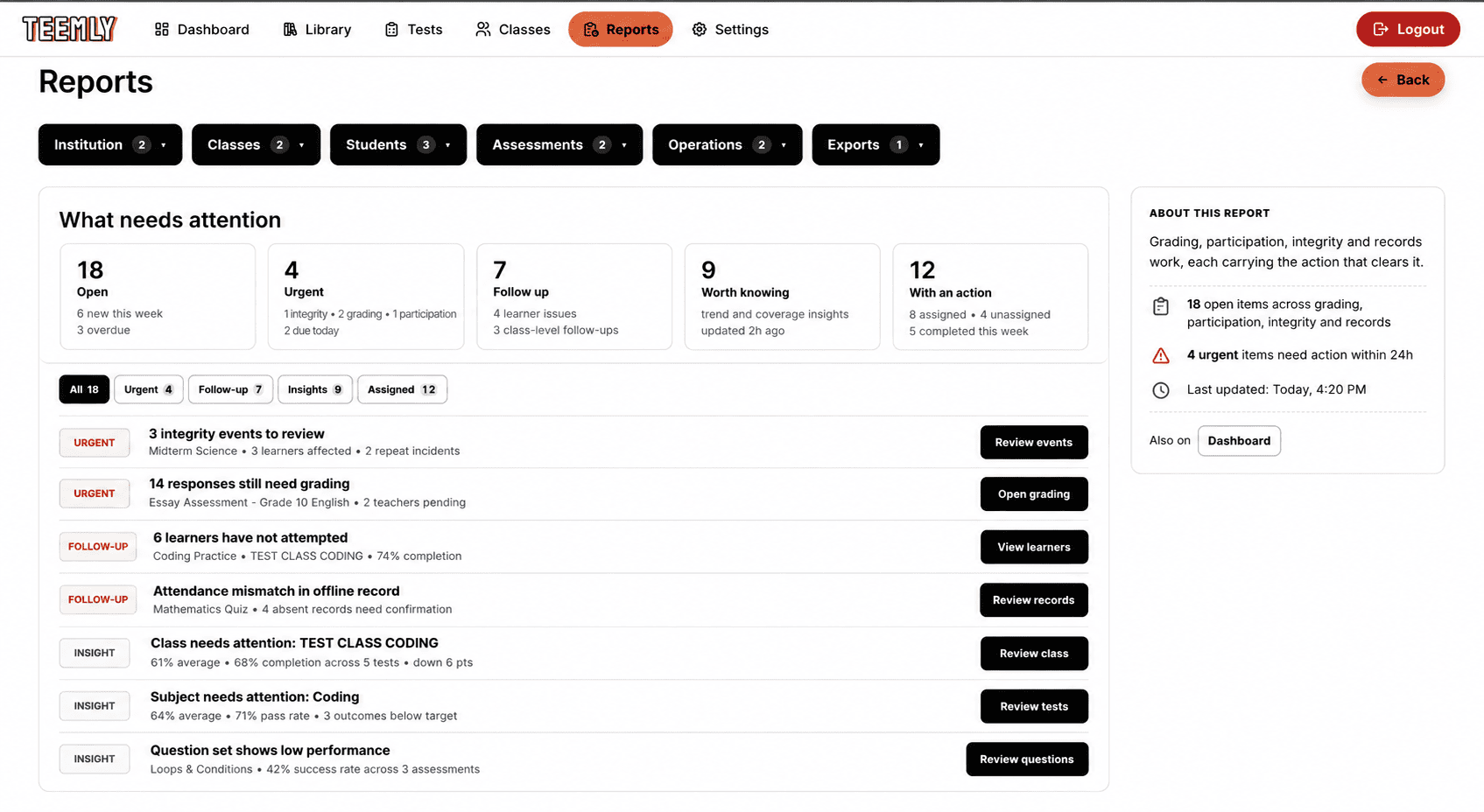
Tab switches, clipboard activity, and other integrity events are recorded for review. Every decision can be signed off by a named teacher, with the original evidence kept intact.
Running a test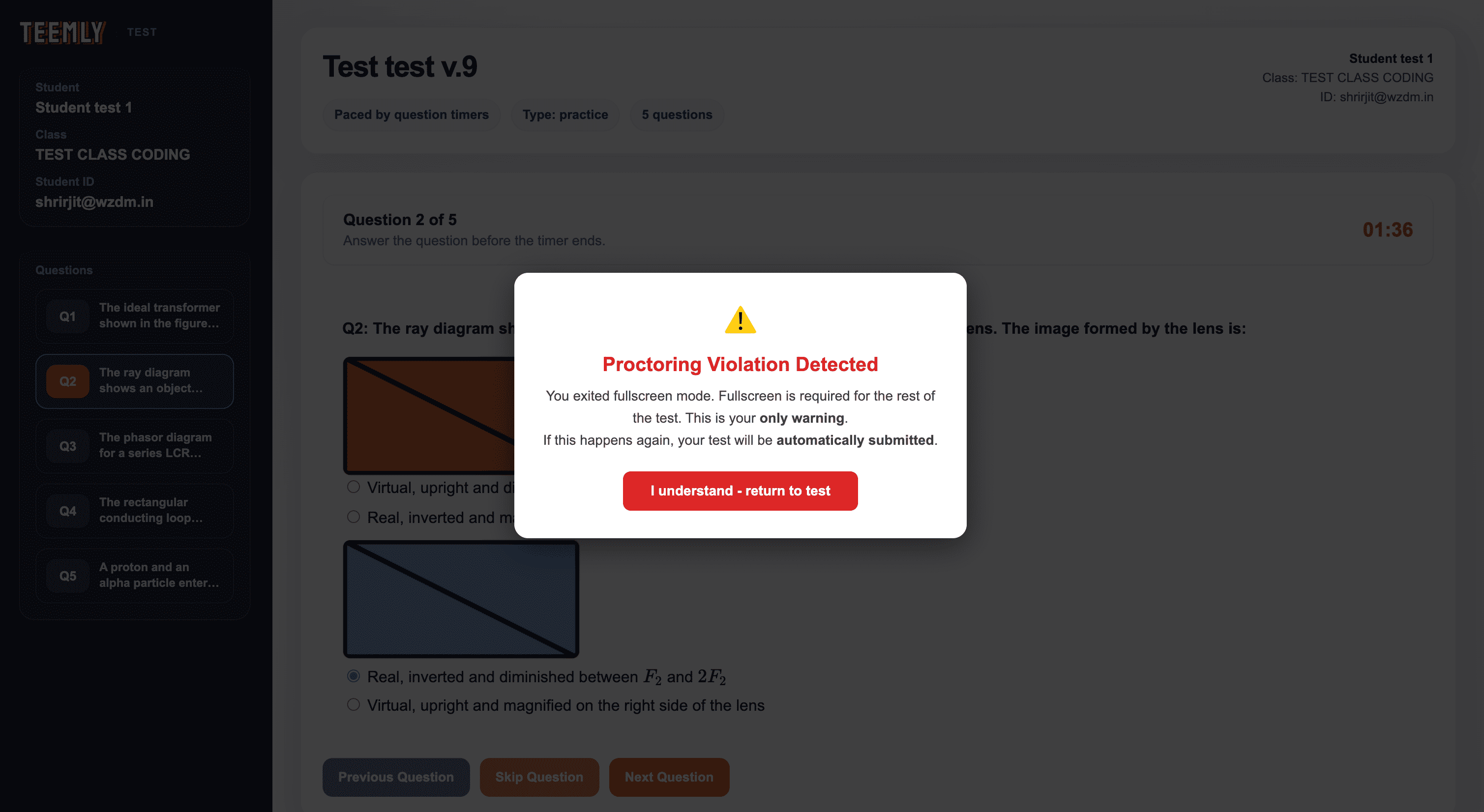
Online coding tests and offline assessments feed into one student record. Absences stay absences, unfinished grading stays out of standings, and teachers get one view of performance across both.
Everything included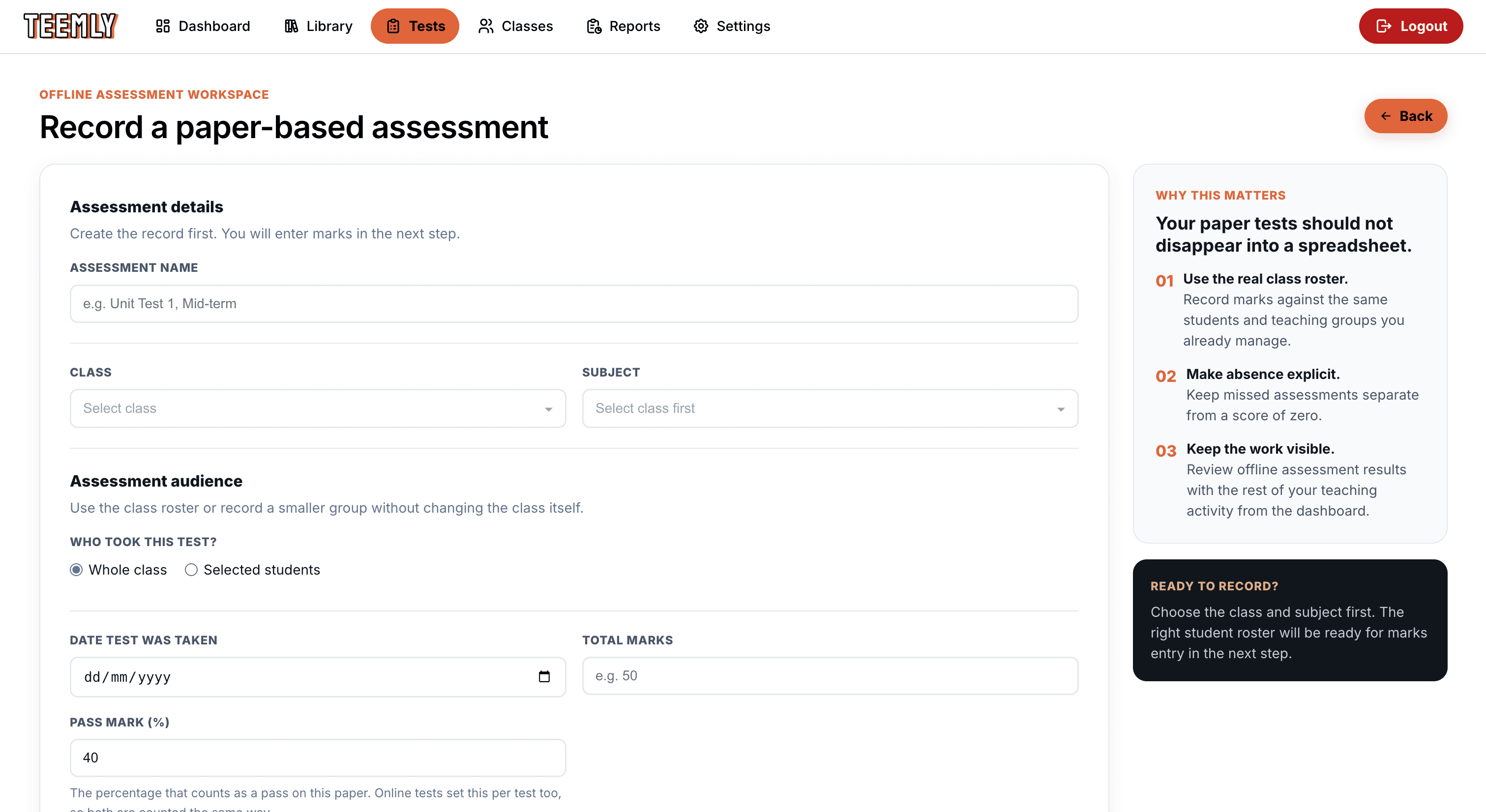
Store coding questions, test cases, tags, difficulty, and review status in one shared library. Those same tags feed directly into topic and learning-gap reporting.
The question bank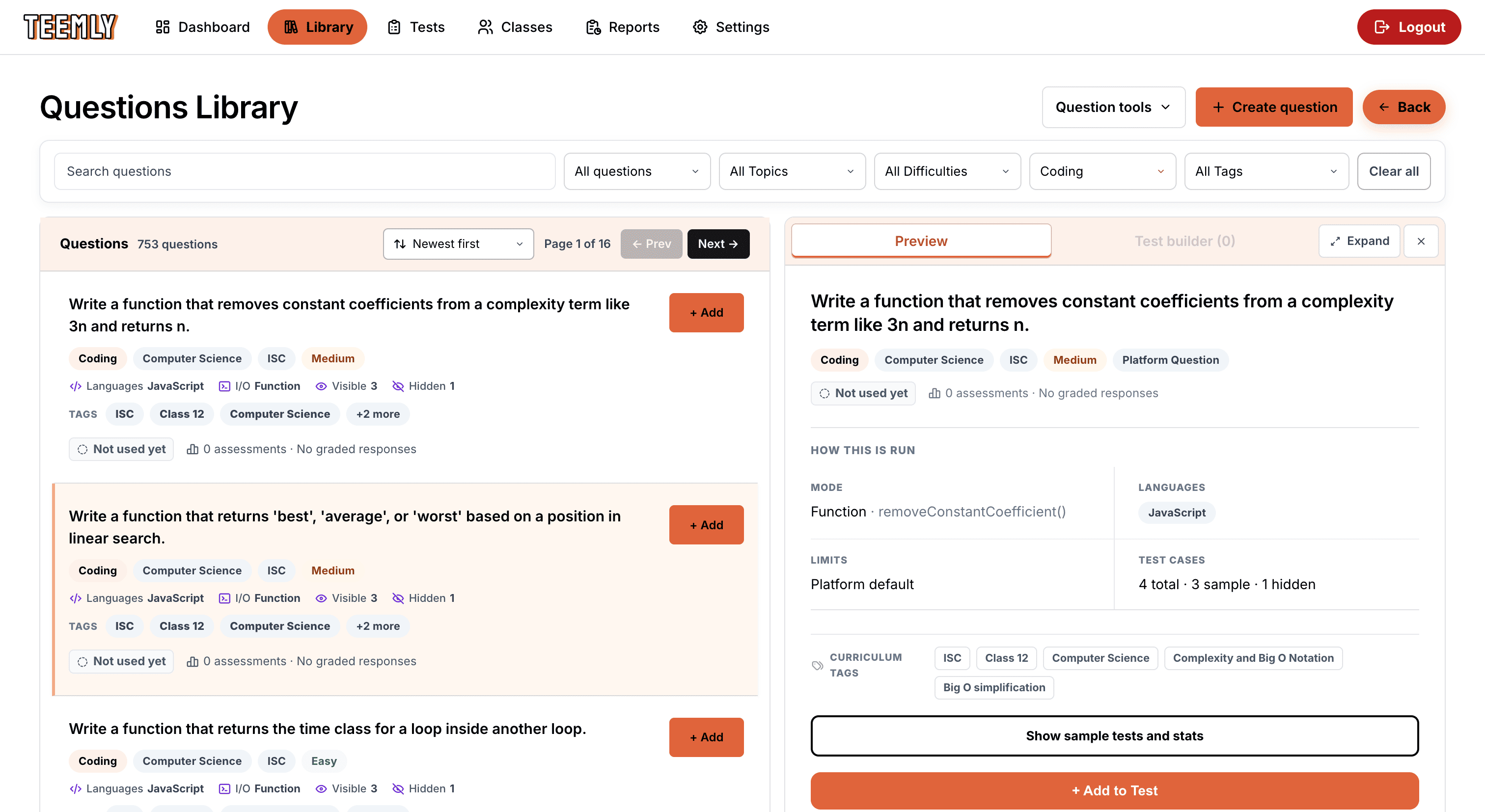
Plenty of assessment still happens on paper, and it usually lives in a register that never meets the rest of a student's record. Here it does.
Anything already in your question library becomes a question paper. Nothing is retyped, and the paper carries your institution's name.
A quarter, half or full page of answer space per question, in one column or two. Questions never split across a page break.
Prints on its own, marked with the option letters a student sees rather than raw numbers, so it can be handed to whoever is correcting.
Students down, questions across, one number per cell. One-mark questions move on as you type, so a whole class goes in without reaching for the mouse.
Nor is an absence. A student who missed the paper gets no record for it, rather than a mark of nought that quietly drags the class average down.
A paper test lands in the same student record as an online one, so topic, outcome and per-question reporting take it in without a separate step.
From school classrooms to coaching batches and university departments, Teemly adapts to how each institution runs and reviews coding assessments.
Computer science departments running coding assessments for their own classes.
Training centres preparing batches of students and measuring every one of them.
Institutions running coding assessment across many departments and cohorts at once.
Hiring tools help evaluate candidates for a role. Teemly helps educators understand student performance, identify gaps, and decide what needs attention next.
| How we compare | Teemly | HackerRank | CoderPad |
|---|---|---|---|
| Primary use case | Teaching & assessment in education institutions | Technical hiring & developer assessment | Technical hiring & developer assessment |
| Organized around | Students, classes, subjects & cohorts | Candidates, roles, tests & hiring teams | Candidates, tests, recruiters & hiring teams |
| Academic class/cohort reporting | Yes | Hiring/test analytics | Hiring/test analytics |
| Paper + online academic record | Yes | Not documented as an academic workflow | Not documented as an academic workflow |
| Topic / learning-outcome reporting | Yes | Skills-based candidate analytics | Skills/technology-based candidate analytics |
| Coding test cases | Visible + hidden | Visible/sample + hidden | Visible + hidden |
| Integrity focus | Evidence reviewed in an academic workflow | Hiring integrity & candidate verification | Hiring integrity & candidate verification |
| Pricing model | Institution/student based | Subscription + candidate attempts | Subscription / volume based |